Tuesday, 21 February 2017

Fifth Generation

0 comments

Fifth Generation (Present and Beyond) Artificial Intelligence


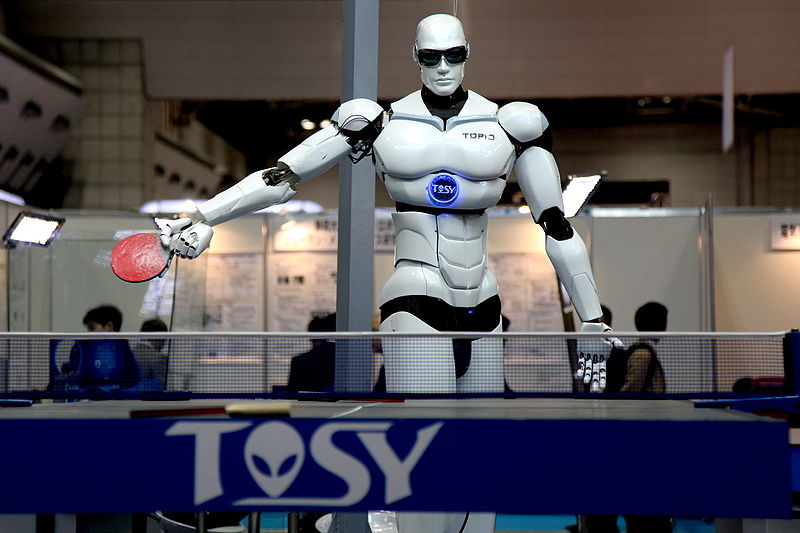
Fifth generation computing devices, based on artificial intelligence, are still in development, though there are some applications, such as voice recognition, that are being used today. The use of parallel processing and superconductors is helping to make artificial intelligence a reality. Quantum computation and molecular and nanotechnology will radically change the face of computers in years to come. The goal of fifth-generation computing is to develop devices that respond to natural language input and are capable of learning and self-organization.
Artificial intelligence (AI) is the intelligence of machines and the branch of computer science that aims to create it. AI textbooks define the field as “the study and design of intelligent agents” where an intelligent agent is a system that perceives its environment and takes actions that maximize its chances of success. John McCarthy, who coined the term in 1956, defines it as “the science and engineering of making intelligent machines.”


The field was founded on the claim that a central property of humans, intelligence—the sapience of Homo sapiens—can be so precisely described that it can be simulated by a machine. This raises philosophical issues about the nature of the mind and the ethics of creating artificial beings, issues which have been addressed by myth, fiction and philosophy since antiquity. Artificial intelligence has been the subject of optimism, but has also suffered setbacks and, today, has become an essential part of the technology industry, providing the heavy lifting for many of the most difficult problems in computer science.
AI research is highly technical and specialized, deeply divided into subfields that often fail to communicate with each other. Subfields have grown up around particular institutions, the work of individual researchers, the solution of specific problems, longstanding differences of opinion about how AI should be done and the application of widely differing tools. The central problems of AI include such traits as reasoning, knowledge, planning, learning, communication, perception and the ability to move and manipulate objects. General intelligence (or “strong AI”) is still among the field’s long term goals.

Read other post about Computer History:


Inventors of the Modern Computer (Konrad Zuse)

Inventors of the Modern Computer (John Atanasoff and Clifford Berry)

Inventors of the Modern Computer (Howard Aiken and Grace Hopper)

The History of the ENIAC Computer

The History of the UNIVAC Computer

History of Laptop Computers
Read more

Videos

0 comments


Read more

Fourth Generation

0 comments

Fourth Generation

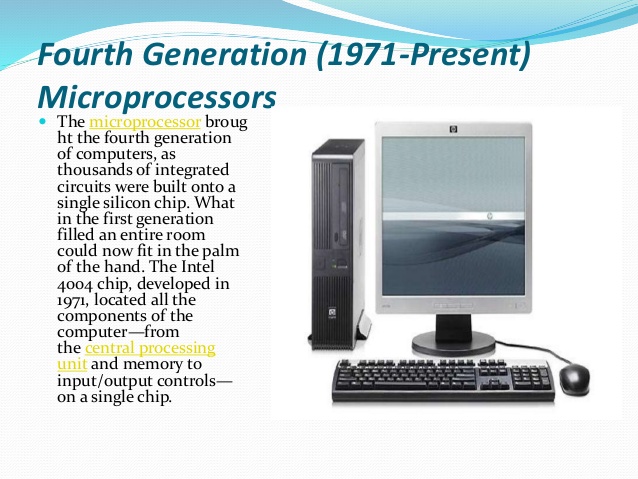
The duration of 4th generation is from 1971 to 1985. In this era the size and the cost of computer has dramatically dropped, where as the memory and the speed of computers has increaseddrastically. These computers are based on microprocessor. The characteristics are associated with the use of chip technology, low cost memory and wide availability of a relatively small number of operating systems.

CHARACTERISTICS OF FOURTH GENERATION COMPUTERS:

  • Used chips for Central Processing Unit (C.P.U.) and memory.
  • Development of micro-processor.
  • Very compact and smallest in size.
  • Excellent speed and reliability.
  • Increase in primary storage capacity
  • Disks were used as secondary storage device.
  • Greater versatility in software.
  • Advance input/output devices were used.
  • Low Cost.
  • Portable computers were introduced.
Fourth generation computer systems

INTRODUCTION

This paper is presented as a discussion of fourth generation computer systems. To predict future developments in the computer industry is to speculate - to theorize on the basis of observable trends and anticipated needs. Numerous questions arise. We do not know the answers to all questions nor do we know how to obtain all the answers. The intent of this paper is to suggest reasonable approaches to developments and tp offer a solution to a fundamental EDP problem. How can computers and applications be integrated within a communication and control system? Computers of prior generations emphasized computation. Fourth generation computers, as envisioned in this paper, will emphasize a communication and control system. The characteristics of fourth generation systems are outlined in the first part of this paper and discussed in detail later. Prior to this discussion, the computer evolution, the software situation, the effects of large scale integration, and fourth generation programmipg systems are considered. While one cannot predict characteristics of fourth generation systems with certainty, one can confidently assume that many changes in computing will occur. This paper contains speculation concerning the possible changes. Opinions and suggestions within the paper represent a consensus among the authors but are not representative of the company by which the authors are employed.


Read more

Wednesday, 15 February 2017

Classification of computers

1 comments

Classification of computers


Computer can be classified  as follows:

  1. According to function
  2. According to purpose
  3. According to size and capacity
ACCORDING TO FUNCTION:
Computer can be classified into three types. These classifications are according to function and hardware structure.
  1. Digital Computers
  2. Analog Computers
  3. Hybrid Computers
These types are explained below:
  • DIGITAL COMPUTERS:
A digital computer represents data in term of discrete number or digit. Thesenumber are used to perform arithmetic calculations and also make logical decisions to reach a conclusion depending on the data, they receive from the user. In general Digital Computers are easy to program and are in general purpose use. The IBM PC and all other personal computers belong to this category.
  • ANALOG COMPUTERS:
Analog computer actually is a measuring device. An analog computer measurescontinuous type of data and use a physical quantity, such as electric current, speed, weight etc. Analog computers are the first computers being developed and provide the bases. for the development of modern digital computers. These computers are mainly made of electronical devices like resisters, amplifiers and transistors. In general Analog computers are very fast in processing and are used for real-time simulation.
  • HYBRID COMPUTERS:
The third type of computer is the so called Hybrid Computer. This is a computer which combines the analog and digital capabilities in the same computers system. This capacity is most significant where the digital processing of data collected in analog form is desirable. This is usually found in science laboratories as the controlling device in an industrial process.

ACCORDING TO PURPOSE:
Computers can be classified according to purpose in two ways

GENERAL PURPOSE:-
They are used for different purposes like inventory control, accounting, payroll, record-keeping, word processing, etc.

SPECIAL PURPOSE:-
As the name suggests these computers are used only for specific purposes e.g. acomputer fixed in a bio-medical x-ray instrument would be used only for x-raycontrols.
ACCORDING TO SIZE AND CAPACITY:
Computers can be classified according to configuration, size and capacityin 3 ways.
  1. Micro Computers
  2. Mini Computers.
  3. Mainframe Computers.
  4. Super Computer
Read more

Third Generation

1 comments

Third generation


THE third Generation computers(1966-1975)


The period of third generation was 1965-1971. The computers of third generation used integrated circuits (IC's) in place of transistors. A single IC has many transistors, resistors and capacitors along with the associated circuitry. The IC was invented by Jack Kilby. This development made computers smaller in size, reliable and efficient. In this generation remote processing, time-sharing, multi-programming operating system were used. High-level languages (FORTRAN-II TO IV, COBOL, PASCAL PL/1, BASIC, ALGOL-68 etc.) were used during this generation.

The main features of third generation are:

  • IC used
  • More reliable in comparison to previous two generations
  • Smaller size
  • Generated less heat
  • Faster
  • Lesser maintenance
  • Still costly
  • A.C needed
  • Consumed lesser electricity
  • Supported high-level language
Some computers of this generation were:
  • IBM-360 series
  • Honeywell-6000 series
  • PDP(Personal Data Processor)
  • IBM-370/168
  • TDC-316


Read more

Second Generation

0 comments

second-generation


The term "second-generation" extends the concept of first-generation by one generation. As such, the term exhibits the same type of ambiguity as "first-generation," as well as additional ones.

Like "first-generation immigrant," the term "second-generation" can refer to a member of either:
The second generation of a family to inhabit, but the first natively born in, a country, or
The second generation born in a country

In the United States, among demographers and other social scientists, "second generation" refers to the U.S.-born children of foreign-born parents.

The term second-generation immigrant attracts criticism due to it being an oxymoron. Namely, critics say, a "second-generation immigrant" is not an immigrant, since being "second-generation" means that the person is born in the country and the person's parents are the immigrants in question. Generation labeling immigrants is further complicated by the fact that immigrant generations may not correspond to the genealogical generations of a family. For instance, if a family of two parents and their two adult children immigrate to a new country, members in both generations of this family may be considered "first generation" by the former definition, as both parents and children were foreign-born, adult, immigrants. Likewise, if the two parents had a third child later on, this child would be of a different immigrant generation from that of its siblings. For every generation, the factor of mixed-generation marriages further convolutes the issue, as a person may have immigrants at several different levels of his or her ancestry.

These ambiguities notwithstanding, generation labeling is frequently used in parlance, news articles , and reference articles without deliberate clarification of birthplace ornaturalization. It may or may not be possible to determine, from context, which meaning is intended.
Read more

First Generation

0 comments

First Generation

The period of first generation was 1946-1959. The computers of first generation used vacuum tubes as the basic components for memory and circuitry for CPU (Central Processing Unit). These tubes, like electric bulbs, produced a lot of heat and were prone to frequent fusing of the installations, therefore, were very expensive and could be afforded only by very large organisations. In this generation mainly batch processing operating system were used. Punched cards, paper tape, and magnetic tape were used as input and output devices. The computers in this generation used machine code as programming language.


The main features of first generation are:

  • Vacuum tube technology
  • Unreliable
  • Supported machine language only
  • Very costly
  • Generated lot of heat
  • Slow input and output devices
  • Huge size
  • Need of A.C.
  • Non-portable
  • Consumed lot of electricity
Some computers of this generation were:
  • ENIAC
  • EDVAC
  • UNIVAC
  • IBM-701
  • IBM-650

The first generation of computers is said by some to have started in 1946 with ENIAC,
the first 'computer' to use electronic valves (ie. vacuum tubes). Others would say it started in May 1949 with the introduction of EDSAC, the first stored program computer. Whichever, the distinguishing feature of the first generation computers was the use of electronic valves.

My personal take on this is that ENIAC was the World's first electronic calculator and that the era of the first generation computers began in 1946 because that was the year when people consciously set out to build stored program computers (many won't agree, and I don't intend to debate it). The first past the post, as it were, was the EDSAC in 1949. The period closed about 1958 with the introduction of transistors and the general adoption of ferrite core memories.

OECD figures indicate that by the end of 1958 about 2,500 first generation computers were installed world-wide. (Compare this with the number of PCs shipped world-wide in just the third quarter of 2006, quoted as 59.1 million units by research company Gartner).

Two key events took place in the summer of 1946 at the Moore School of Electrical Engineering at the University of Pennsylvania. One was the completion of the ENIAC. The other was the delivery of a course of lectures on "The Theory and Techniques of Electronic Digital Computers". In particular, they described the need to store the instructions to manipulate data in the computer along with the data. The design features worked out by John von Neumann and his colleagues and described in these lectures laid the foundation for the development of the first generation of computers. That just left the technical problems!
One of the projects to commence in 1946 was the construction of the IAS computer at the Institute of Advanced Study at Princeton. The IAS computer used a random access electrostatic storage system and parallel binary arithmetic. It was very fast when compared with the delay line computers, with their sequential memories and serial arithmetic.

The Princeton group was liberal with information about their computer and before long many universities around the world were building their own, close copies. One of these was the SILLIAC at Sydney University in Australia.

I have written an emulator for SILLIAC. You can find it here, along with a link to a copy of the SILLIAC Programming Manual.


First Generation Technologies

1G (or 1-G) refers to the first generation of wireless telephone technology (mobile telecommunications). These are the analog telecommunications standards that were introduced in the 1980s and continued until being replaced by 2G digital telecommunications. The main difference between the two mobile telephone systems (1G and 2G), is that the radio signals used by 1G networks are analog, while 2G networks are digital.

Although both systems use digital signaling to connect the radio towers (which listen to the handsets) to the rest of the telephone system, the voice itself during a call is encoded to digital signals in 2G whereas 1G is only modulated to higher frequency, typically 150 MHz and up. The inherent advantages of digital technology over that of analog meant that 2G networks eventually replaced them almost everywhere.

One such standard is Nordic Mobile Telephone (NMT), used in Nordic countries, Switzerland, the Netherlands, Eastern Europe and Russia. Others include Advanced Mobile Phone System (AMPS) used in North America and Australia, TACS (Total Access Communications System) in the United Kingdom, C-450 in West Germany, Portugal andSouth Africa, Radiocom 2000 in France, TMA in Spain, and RTMI in Italy. In Japan there were multiple systems. Three standards, TZ-801, TZ-802, and TZ-803 were developed by NTT (Nippon Telegraph and Telephone Corporation), while a competing system operated by Daini Denden Planning, Inc. (DDI) used the Japan Total Access Communications System (JTACS) standard.

Read more

Tuesday, 14 February 2017

Computer Generations

0 comments
   

Computer Generations

The five generations of computers


Even more so the generation who have grown from infancy within the global desktop and laptop revolution since the 1980s.
The history of the computer goes back several decades however and there are five
definable generations of computers.
 Each generation is defined by a significant      technological development that changes    fundamentally how computers operate –  leading to more compact, less expensive, but  more powerful, efficient and robust machines.


  1. First Generation
  2. Second Generation
  3. Third Generation
  4. Fourth Generation
  5. Fifth Generation
Following are the main five generations of computers 

S.N.Generation & Description
1
The period of first generation: 1946-1959. Vacuum tube based.
2
The period of second generation: 1959-1965. Transistor based.
3
The period of third generation: 1965-1971. Integrated Circuit based.
4
The period of fourth generation: 1971-1980. VLSI microprocessor based.
5
The period of fifth generation: 1980-onwards. ULSI microprocessor based


Read more

Saturday, 29 October 2016

Computer world

0 comments

computer


A computer is a device that can be instructed to carry out an arbitrary set of arithmetic or logical operations automatically. 
The ability of computers to follow a sequence of operations, called a program, 
make computers very flexible and useful. Such computers are used as control systems for a very wide variety of industrial and consumer devices. 
This includes simple special purpose devices like microwave ovens and remote controls, 
factory devices such as industrial robots and computer assisted design, 
but also in general purpose devices like personal computers and mobile devices such as smartphones. 
The Internet is run on computers and it connects millions of other computers.

Since ancient times, simple manual devices like the abacus aided people in doing calculations. Early in the Industrial Revolution, 
some mechanical devices were built to automate long tedious tasks, such as guiding patterns for looms. 
More sophisticated electrical machines did specialized analog calculations in the early 20th century. 
The first digital electronic calculating machines were developed during World War II. The speed, power, 
and versatility of computers increased continuously and dramatically since then, 
to the point that artificial intelligence may become possible in the future.

Conventionally, a modern computer consists of at least one processing element,
 typically a central processing unit (CPU), and some form of memory.
 The processing element carries out arithmetic and logical operations, 
and a sequencing and control unit can change the order of operations in response to stored information. 
Peripheral devices include input devices (keyboards, mice, joystick, etc.), 
output devices (monitor screens, printers, etc.), and input/output devices that perform both functions (e.g., the 2000s-era touchscreen). 
Peripheral devices allow information to be retrieved from an external source and they enable the result of operations to be saved and retrieved.


Etymology


Pre-twentieth century


The Ishango bone

Devices have been used to aid computation for thousands of years, mostly using one-to-one correspondence with fingers.

The earliest counting device was probably a form of tally stick. Later record keeping aids throughout the Fertile Crescent included calculi (clay spheres, cones, etc.) which represented counts of items, probably livestock or grains, sealed in hollow unbaked clay containers.[3][4] The use of counting rods is one example.

The Chinese Suanpan (算盘) (the number represented on this abacus is 6,302,715,408)

The abacus was initially used for arithmetic tasks. The Roman abacus was developed from devices used in Babylonia as early as 2400 BC. Since then, many other forms of reckoning boards or tables have been invented. In a medieval European counting house, a checkered cloth would be placed on a table, and markers moved around on it according to certain rules, as an aid to calculating sums of money.

The ancient Greek-designed Antikythera mechanism, dating between 150 and 100 BC, is the world's oldest analog computer.

The Antikythera mechanism is believed to be the earliest mechanical analog "computer", according to Derek J. de Solla Price.[5] It was designed to calculate astronomical positions. It was discovered in 1901 in the Antikythera wreck off the Greek island of Antikythera, between Kythera and Crete, and has been dated to circa 100 BC. Devices of a level of complexity comparable to that of the Antikythera mechanism would not reappear until a thousand years later.

Many mechanical aids to calculation and measurement were constructed for astronomical and navigation use. The planisphere was a star chart invented by Abū Rayhān al-Bīrūnī in the early 11th century.[6] The astrolabe was invented in the Hellenistic world in either the 1st or 2nd centuries BC and is often attributed to Hipparchus. A combination of the planisphere and dioptra, the astrolabe was effectively an analog computer capable of working out several different kinds of problems in spherical astronomy. An astrolabe incorporating a mechanical calendar computer[7][8] and gear-wheels was invented by Abi Bakr of Isfahan, Persia in 1235.[9] Abū Rayhān al-Bīrūnī invented the first mechanical geared lunisolar calendar astrolabe,[10] an early fixed-wired knowledge processing machine[11] with a gear train and gear-wheels,[12] circa 1000 AD.

The sector, a calculating instrument used for solving problems in proportion, trigonometry, multiplication and division, and for various functions, such as squares and cube roots, was developed in the late 16th century and found application in gunnery, surveying and navigation.

The planimeter was a manual instrument to calculate the area of a closed figure by tracing over it with a mechanical linkage.

A slide rule

The slide rule was invented around 1620–1630, shortly after the publication of the concept of the logarithm. It is a hand-operated analog computer for doing multiplication and division. As slide rule development progressed, added scales provided reciprocals, squares and square roots, cubes and cube roots, as well as transcendental functions such as logarithms and exponentials, circular and hyperbolic trigonometry and other functions. Aviation is one of the few fields where slide rules are still in widespread use, particularly for solving time–distance problems in light aircraft. To save space and for ease of reading, these are typically circular devices rather than the classic linear slide rule shape. A popular example is the E6B.

In the 1770s Pierre Jaquet-Droz, a Swiss watchmaker, built a mechanical doll (automata) that could write holding a quill pen. By switching the number and order of its internal wheels different letters, and hence different messages, could be produced. In effect, it could be mechanically "programmed" to read instructions. Along with two other complex machines, the doll is at the Musée d'Art et d'Histoire of Neuchâtel, Switzerland, and still operates.[13]

The tide-predicting machine invented by Sir William Thomson in 1872 was of great utility to navigation in shallow waters. It used a system of pulleys and wires to automatically calculate predicted tide levels for a set period at a particular location.

The differential analyser, a mechanical analog computer designed to solve differential equations by integration, used wheel-and-disc mechanisms to perform the integration. In 1876 Lord Kelvin had already discussed the possible construction of such calculators, but he had been stymied by the limited output torque of the ball-and-disk integrators.[14] In a differential analyzer, the output of one integrator drove the input of the next integrator, or a graphing output. The torque amplifier was the advance that allowed these machines to work. Starting in the 1920s, Vannevar Bush and others developed mechanical differential analyzers.


Supercomputer

A supercomputer is a computer with a high-level computational capacity compared to a general-purpose computer. Performance of a supercomputer is measured in floating-point operations per second (FLOPS) instead of million instructions per second (MIPS). As of 2015, there are supercomputers which can perform up to quadrillions of FLOPS.[2]
Supercomputers were introduced in the 1960s, made initially, and for decades primarily, by Seymour Cray at Control Data Corporation (CDC), Cray Research and subsequent companies bearing his name or monogram. While the supercomputers of the 1970s used only a few processors, in the 1990s, machines with thousands of processors began to appear and, by the end of the 20th century, massively parallel supercomputers with tens of thousands of off-the-shelf processors were the norm.[3][4]
As of June 2016, the fastest supercomputer in the world is the Sunway TaihuLight, in mainland China, with a Linpack benchmark of 93 PFLOPS, exceeding the previous record holder, Tianhe-2, by around 59 PFLOPS. It tops the rankings in the TOP500 supercomputer list. Sunway TaihuLight's emergence is also notable for its use of indigenous chips, and is the first Chinese computer to enter the TOP500 list without using hardware from the United States. As of June 2016, the Chinese, for the first time, had more computers (167) on the TOP500 list than the United States (165). However, U.S. built computers held ten of the top 20 positions.[5][6]


PC game


PC games, also known as computer games or personal computer games, are video games played on a personal computer rather than a dedicated video game console or arcade machine. Their defining characteristics include a lack of any centralized controlling authority, a greater degree of user control over the video-gaming hardware and software used and a generally greater capacity in input, processing, and output.
Home computer games became popular following the video game crash of 1983 leading to the era of the "bedroom coder". In the 1990s, PC games lost mass-market traction to console games before enjoying a resurgence in the mid-2000s through digital distribution.[1][2]
Newzoo, reports that gaming (on all platforms) is a US$99.6 billion dollar industry, and that as of 2016, "mobile gaming will take a larger share than PC with $36.9 billion, up 21.3% globally."[3] PC is considered synonymous (by them and others) with IBM PC compatible systems; while mobile computers – smartphones and tablets, such as those running Android or iOS – are also personal computers. The "APAC" region is estimated to generate $46.6 billion in 2016, or 47% of total global game revenues (note, not only "PC" games). China alone accounts for half of APAC's revenues, reaching $24.4 billion, cementing its place as the largest games market in the world, ahead of the US's anticipated market size of $23.5 billion.
The uncoordinated nature of the PC game market and its lack of physical media make precisely assessing its size difficult.


Computer network

A computer network or data network is a telecommunications network which allows computers to exchange data. In computer networks, networked computing devices exchange data with each other using a data link. The connections between nodes are established using either cable media or wireless media. The best-known computer network is the Internet.
Network computer devices that originate, route and terminate the data are called network nodes.[1] Nodes can include hosts such as personal computers, phones, servers as well as networking hardware. Two such devices can be said to be networked together when one device is able to exchange information with the other device, whether or not they have a direct connection to each other.
Computer networks differ in the transmission medium used to carry their signals, communications protocols to organize network traffic, the network's size, topology and organizational intent.
Computer networks support an enormous number of applications and services such as access to the World Wide Web, digital video, digital audio, shared use of application and storage servers, printers, and fax machines, and use of email and instant messaging applications as well as many others. In most cases, application-specific communications protocols are layered (i.e. carried as payload) over other more general communications protocols.


Computer operator

A role in IT, computer operators oversee the running of computer systems, ensuring that the machines and computers are running properly.[1][2][3]
The former role of a computer operator was to work with mainframe computers which required a great deal of management day-to-day, however nowadays they often work with a variety of different systems and applications. The computer operator normally works in a server room or a data center, but can also work remotely so that they can operate systems across multiple sites. Most of their duties are taught on the job, as their job description will vary according to the systems and set-up they help manage.
The role also includes maintaining records and logging events, listing each backup that is run, each machine malfunction and program abnormal termination. Operators assist system administrators and programmers in testing and debugging of new systems and programs prior to their becoming production environments.
Modern-day computing has led to a greater proliferation of personal computers, with a rapid change from older mainframe systems to newer self-managing systems. This is reflected in the operator's role. Tasks may include managing the backup systems, cycling tapes or other media, filling and maintaining printers. Overall the operator fills in as a lower level system administrator or operations analyst. Most operations departments will work 24x7.
A computer operator also has knowledge of disaster recovery and business continuity procedures. Formerly this would have meant sending physical data tapes offsite, but now the data is more than likely transmitted over computer networks.
A computer operator can work inside the home on the network editing domains and nets or they can work on the road or as part of a company.[citation needed]

See also[edit]


Read more